
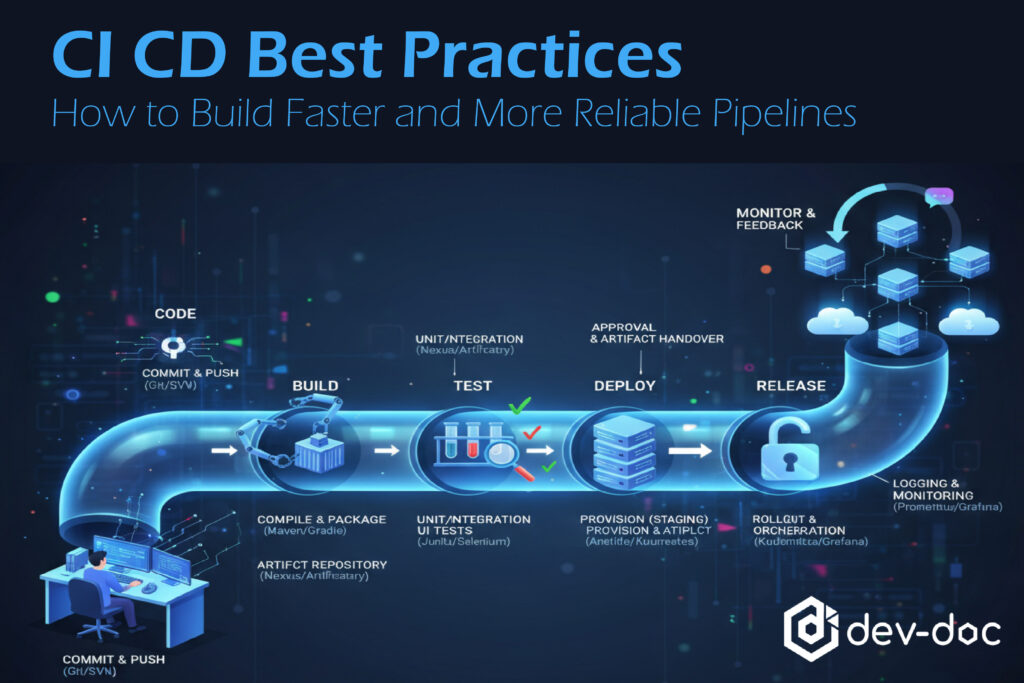
In this article, we’ll explore eight CI/CD best practices that can elevate your pipeline to the next level, making it faster, more efficient, and highly reliable.
Automate Everything
Manual Processes slow down the CI/CD pipeline and can cause human error. To ensure reliability, repeatability, and speed in your CI/CD pipeline, Automation is a must. Here is how you can make it happen.
- Automate every stage of the CI/CD pipeline (e.g., code builds, tests, packaging, deployments, and rollbacks).
- Use Infrastructure as Code (IaC) tools like Terraform or Ansible to automate environment provisioning and configuration.
- Implement pipeline as code with YAML-based definitions. (e.g., GitHub Actions, GitLab CI, Jenkinsfile) for better maintainability and version control.
Keep Builds Fast and Efficient
Rapid feedback is crucial for developers. When build time is too long, this may discourage frequent commits and slow down the release cycle. To maintain fast and efficient builds, you can follow these steps:
- Rebuild only what changed and enable build caching (e.g., Gradle build cache, Docker layer caching).
- Run tests in parallel using matrix builds to reduce execution time.
- Use dedicated build agents with pre-installed dependencies to minimize setup overload.
- Regularly clean up unused dependencies and artifacts to prevent clutter and maintain performance.
Implement Continuous Testing
Implement automated testing at every stage of development to ensure quality and prevent regressions at development stages.
- Integrate multiple levels of tests: Unit tests for testing individual functions, Integration tests for validating interaction between components, and End-to-end (E2E) tests for simulating real user flows.
- Execute tests automatically on every commit and pull request to catch issues early.
- Using test coverage reports helps you to identify untested areas and strengthen overall code quality.
Use Feature Branching and Pull Requests
Apply feature isolation to ensure stability in the main branch and simplify code reviews.
- Adopt a clear branching strategy, such as GitFlow or GitHub Flow, to organize development.
- Enforce pull requests (PRs) with automated CI checks before merging to prevent unstable code from entering the main branch.
- Automatically deploy feature branches to temporary environments for QA testing and validation before release.
Secure Your Pipelines
A CI/CD pipeline often handles sensitive data such as tokens, IDs, and environment variables, granting access to the source code and even the production system. That’s why applying strong security practices is essential to protect your development and deployment process.
- Secure access to version control repositories and enforce multi-factor authentication.
- Manage credentials and API keys securely in the CI/CD pipeline. Never store the credentials in source code
- Scan code and dependencies for vulnerabilities using SAST/DAST tools.
- Use signed commits and verify build integrity with checksums.
- Implement role-based access control (RBAC) to ensure users only have the permissions they need.
Continuously Measure and Improve Your Pipelines
Continuous measurement and improvement are crucial to keep the CI/CD pipeline efficient, secure, and developer-friendly. Regular evaluation allows you to identify bottlenecks and optimize performance over time.
- Collect metrics like: Build duration, Test pass/fail rate, Deployment frequency, Mean, Time to Recovery (MTTR)
- Regularly review and refactor your pipeline configurations (e.g., YAML files, Jenkinsfiles) to remove inefficiencies.
- Introduce new automation and quality gates as your system evolves.
Test code in the early stages
From local development to staging and production, bugs and issues can occur at different testing stages. This causes a waste of time in delivery and deployment. To make your CI/CD pipeline faster and more reliable, follow these best practices:
- Integrate testing early in the development process (shift-left testing) to catch issues before they occur.
- Run tests continuously throughout the SDLC from initial coding to final deployment.
- Implement automated unit tests that run whenever code is pushed to the main repository.
- Add automated integration tests after each build to ensure that components work correctly together.
On-Demand Test Environments
On-demand test environments ensure flexibility and resource efficiency by creating and dismantling test environments dynamically. Here’s how to implement this best practice in your CI/CD pipeline:
- Match configurations, software versions, networking settings, and data sets as closely as possible. Accurate replication helps you uncover issues that might only appear under real-world production conditions.
- Containerize applications and dependencies to create isolated and consistent test environments. This approach allows you quick deployment, scaling, and removal, making them ideal for on-demand testing workflows.
Final Thoughts
That’s all for today.
By applying these CI/CD best practices, your team can detect issues early, release confidently, and focus more on new features.
A well-structured CI/CD pipeline not only automates code integration and delivery but also ensures consistent quality, fewer deployment failures, and smoother collaboration across teams.
That’s why mastering the CI/CD pipeline is a must to create a faster and reliable pipeline that drives continuous innovation.
However, clear and well-organized documentation is crucial at every stage of the development process, especially when tests fail due to unexpected errors, issues arise during deployment, or when a new team member joins in the middle of a project.
Tools like Dev-doc elevate the overall documentation process, making it easier to create, maintain, and update documentation that stays in sync with your project progress.
If you still have any questions or require any additional support. Feel free to contact us anytime.